

Why Does Your Paper Sheeter Stop for No Reason? Diagnosing Random Stops and Black Screens
Of all the calls we take, the hardest to answer from a distance is this one: "The machine stopped again. There was no alarm. The screen went black. Then it started perfectly."
A fault that refuses to repeat on demand is not a mystery. It is a signature. When a paper sheeter or paper slitting machine stops with no alarm at all, the controller did not decide to stop;
it lost the ability to think, or to report. That single observation removes the knives, the paper and the operator from the investigation and sends you to the electrical cabinet.
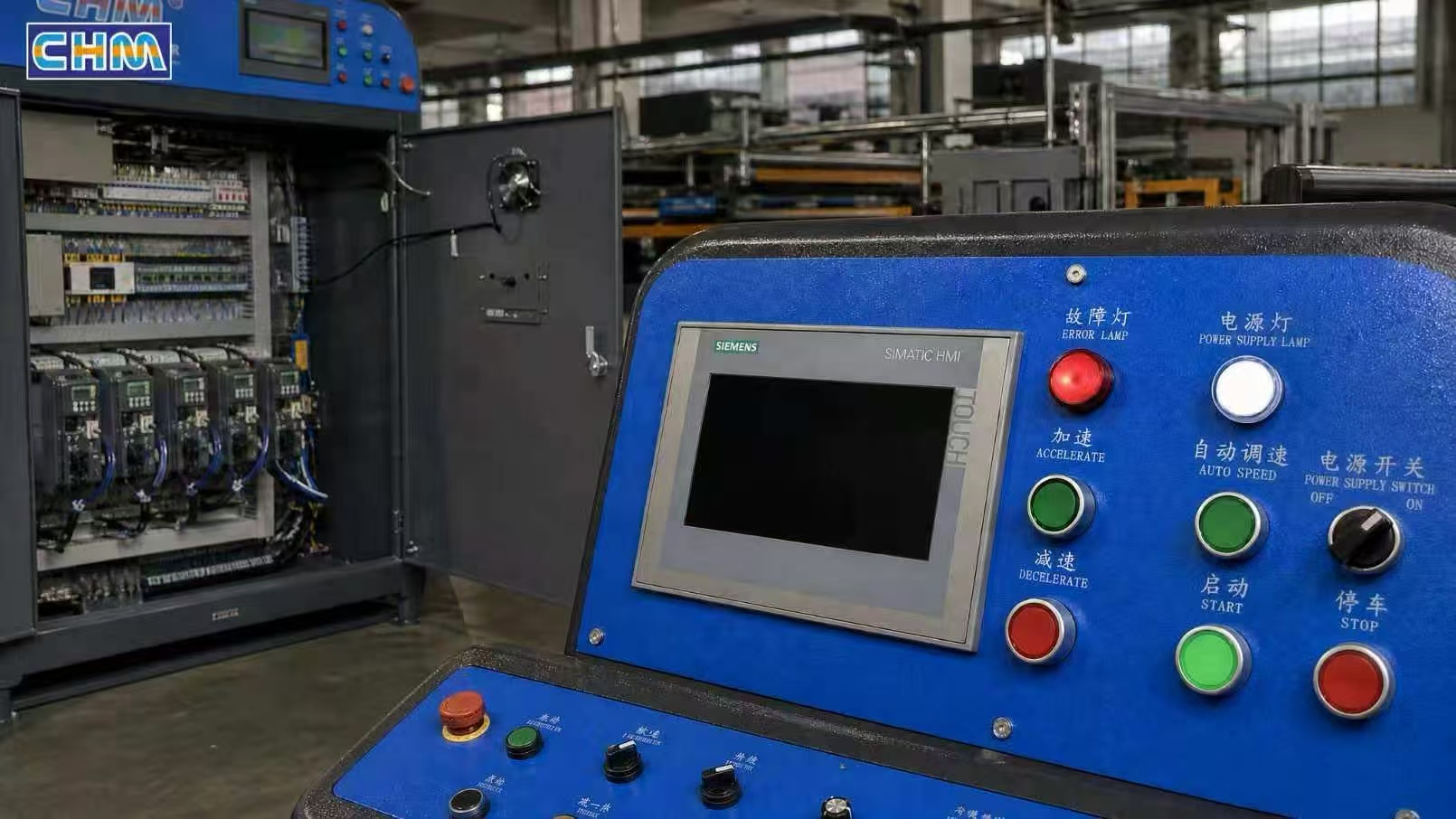
A black screen and a nonsense alarm are two different faults
Watch what the screen does. If it blanks, the HMI has lost power or the controller has reset. If it freezes with the last values still displayed, the software is alive
and the machine has stopped for another reason. If it displays an alarm that makes no sense, such as a fault on an axis that was not moving, the controller is receiving corrupted data.
All three land in the cabinet, but they land in different places, and treating them as one fault is why the same machine gets "fixed" three times.
Cause one: drive switching noise corrupting the PLC link
On machines built with a serial communication link between the variable frequency drive, the PLC and the HMI, the link is a low-voltage signal travelling a few metres
inside a cabinet full of switching power. Every switching edge of the drive emits broadband noise. If the signal cable shares a duct with motor cables, or the machine earth
is shared rather than dedicated, that noise arrives as corrupted data frames. The PLC receives a frame it cannot parse; the watchdog resets the controller, and the screen goes dark before anything can be logged.
This is why the fault looks random but is not. It clusters at high running speed, during acceleration of the knife-head motor, after a drive has been replaced or a cable re-routed,
and in humid weather when insulation resistance drops. It also explains the frustrating pattern of a machine that runs for four days and then stops three times in one shift.
Cause two: hardware that is simply wearing out
A PLC does not fail, it degrades. Electrolytic capacitors in the power supply dry out, output transistors weaken, relay contacts pit, and terminal screws that have been
through thousands of thermal cycles lose their torque. The signature here is not randomness but progression: the machine stops monthly, then weekly, then daily. If the interval is shortening,
you are no longer chasing interference; you are watching a component reach the end of its life. Replace the PLC and the HMI together rather than one at a time, because the survivor is usually only a few months behind.
Cause three: the earth that was never connected
We were called to a CHM-SGT1400H running 240 to 250 gsm board, reporting intermittent length variation and behaviour the operator could only describe as "unstable".
Belt tension was adjusted with no effect. The machine had no dedicated earth at all; it was relying on whatever path the building provided. An independent earth was run in and the symptoms settled.
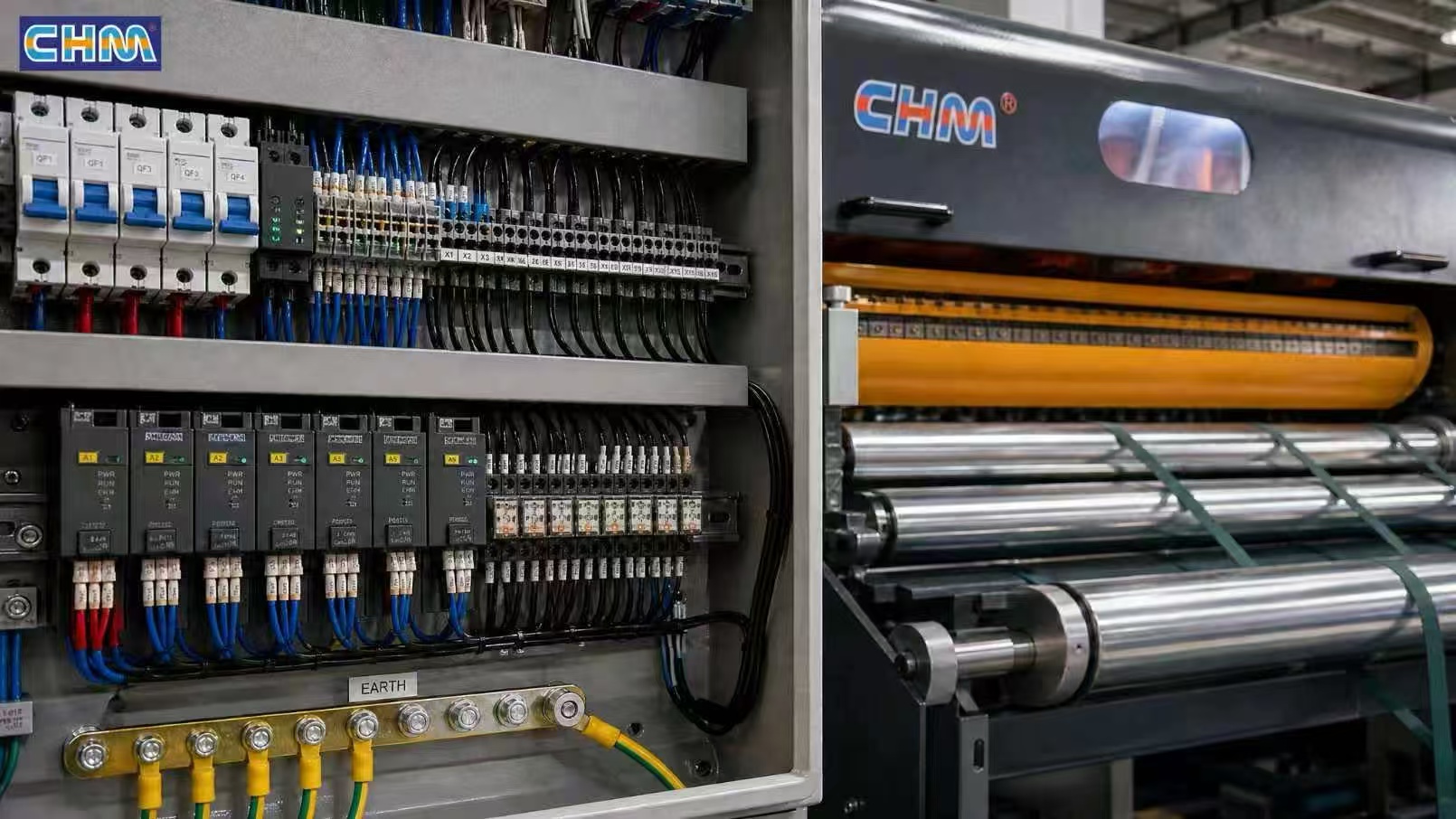
A shared building earth is not a fault on a meter, which is what makes it so easy to miss. If your line shares its earth with welders, a large compressor or another drive bank, it can test perfectly
and still be electrically noisy in production. Ask when the earth was last verified, not whether one exists.
Recommended solutions: start with simple checks, then move to long-term upgrades
Start with the simple work: re-download the PLC program to clear corrupted logic, re-torque every terminal in the control circuit, and check that signal and power cables are physically
separated inside the ducts. Log what you did and when the next stop occurs; that log is the diagnostic tool.
Then correct the earthing: a dedicated earth electrode for the machine, shielded signal cable with the shield bonded at one end, and a ferrite on the drive output if noise persists.
If the machine is an older communication-controlled model, the durable fix is to convert the control link from serial communication to hard-wired terminal control. This does not filter the noise;
it removes the path the noise was using, and it is the change that ends the repeat calls on these frames.
Only then consider hardware replacement, and only when the progression described above is documented.
What not to do while you are waiting
Do not fit a UPS and expect it to cure resets; it covers mains dips, not interference.
Do not jumper a safety interlock to "prove" it is not the cause.
Do not probe a live cabinet with a multimeter while the machine is running. And do not reset the machine and hope,
because every unlogged stop is a diagnosis you will have to repeat later.
Keep track of these six key details each time the issue happens:
Time of shutdown, running speed, paper type and grammage, which motor was accelerating, whether the screen went black or froze,
and ambient humidity/weather conditions. Usually, three recorded cases will help us spot the pattern quickly. Share this log with our team, and we can identify the type of fault in advance. This lets us prepare targeted support, speed up troubleshooting and get your line back online sooner to minimise production loss.

